Key Takeaways
- A website can look complete to visitors while still hiding key content from crawlers — that gap is what we call the AI Visibility Gap.
- Important business content should be present in the initial HTML response, not only inserted later by JavaScript.
- Google has recommended server-side or pre-rendering for this exact reason for years, well before AI search existed.
- Independent research found real gaps between raw HTML and rendered pages, and higher citation rates for content delivered server-side.
- Neither WordPress nor Next.js is automatically safe — implementation determines AI visibility, not the platform.
- TitanTech360 builds both WordPress and custom Next.js sites with AI visibility built into the architecture.
Introduction
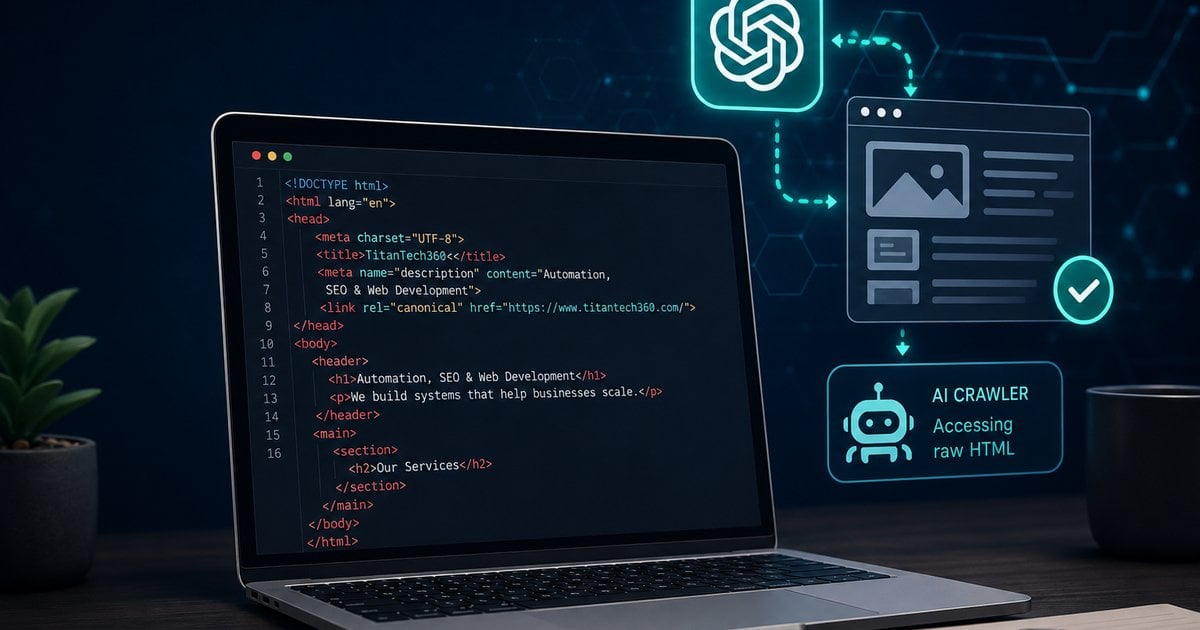
Quick answer: A website can look complete to a person while still hiding important information from some crawlers. For pages you want search engines and AI systems to understand, the core content should ideally be present in the HTML returned by the server—not dependent on JavaScript running after the page loads.
Modern websites can be beautiful, fast, interactive, and still create a visibility problem that most business owners never see.
The issue is simple: what appears in your browser is not always the same information a crawler receives when it first requests the page.
That difference matters as people increasingly use ChatGPT and other AI-powered tools to research companies, compare services, evaluate products, and find answers.
If the important information about your business only appears after JavaScript runs, some automated systems may receive a thinner version of the page—or miss parts of it entirely.
We call that difference the AI Visibility Gap.
What Is the AI Visibility Gap?
The AI Visibility Gap is the difference between the meaningful content a person sees on a fully loaded webpage and the meaningful content that is readily available to a crawler in the page's initial response.
That can include:
• Headings • Product and service descriptions • Important answers • Internal links • Frequently asked questions • Business information • Structured data • Other context needed to understand the page
A small gap is generally preferable to a large one.
This does not mean every animation, calculator, filter, form, or interactive feature has to exist without JavaScript. It means the information that explains what the page is, what the business offers, and why the content matters should not unnecessarily depend on JavaScript execution.
Want help implementing this in your business?
Book a CallRaw HTML vs. the Fully Rendered Page
When someone visits a website, the browser requests the page from a server.
The server returns HTML—the underlying document used to build the webpage.
On many websites, that HTML already contains most of the page's meaningful content. The browser then adds styling, images, scripts, animations, forms, and interactive behavior.
Other websites work differently. The server may return a relatively small page shell and rely on JavaScript to retrieve or generate much of the actual content after the page loads.
To a human using a modern browser, both sites may look perfectly normal.
To a crawler, they can be very different.
Google describes this distinction directly in its JavaScript search documentation. Google says traditional and server-rendered pages work well because the HTML response contains the content, while some JavaScript sites initially return HTML that does not contain the actual page content. Google must then execute JavaScript before it can see that content. Google also notes that not all bots can run JavaScript.[1]
A Simple Example
Imagine a TitanTech360 service page about business automation.
A visitor sees:
Business Process Automation Services
TitanTech360 designs automation systems that reduce repetitive work, connect business software, improve workflows, and help companies scale efficiently.
The page also explains available integrations, common use cases, industries served, frequently asked questions, and how to contact the company.
Now imagine that the initial HTML contains almost none of that information.
Instead, JavaScript runs after the page loads and inserts the service description, questions, links, and other content into the page.
A person's browser handles this automatically.
But a crawler that does not execute the necessary JavaScript may receive far less context about the company and the service.
That is the problem.
Why This Matters for AI Search
AI-powered discovery changes the way businesses need to think about website visibility.
Traditional search optimization asks questions such as:
• Can search engines crawl the page? • Can the page be indexed? • Is the content relevant to the search? • Does the page deserve to rank?
AI visibility adds another important question:
Can an AI system efficiently retrieve and understand enough information about the page to consider it as a source, citation, or recommendation?
A useful way to think about the process is:
Access → Understand → Retrieve → Cite or Recommend
Technical accessibility does not guarantee a citation or recommendation. Many other factors influence what an AI system selects.
But if important information is difficult to access in the first place, the rest of that chain becomes harder.
What Recent Research Found
Several recent industry studies have tried to quantify this issue.
Alli AI reports that it analyzed 275,571 pages across 387 large enterprise domains and found a 27.8% average content gap per page between raw HTML and the fully rendered page. Alli AI also reports that 45.9% of the Fortune 100 domains it evaluated fell into its most severe accessibility tier.[2]
Those numbers should be described accurately. This was not simply a study of “20,000 Fortune 500 pages.” Alli AI's published figures describe a much larger enterprise dataset and a specific Fortune 100 analysis.
Cited published another 2026 study analyzing 3,540 page-engine pairs. Its analysis found that pages delivering their content in the initial HTML were much more likely to be cited by ChatGPT than pages relying on client-side rendering. Cited reports a 7.8 odds ratio for server-delivered HTML in that dataset.[3]
That does not mean adding raw HTML automatically makes a page “8 times more likely” to rank or be recommended in every situation.
These are industry studies, and the reported multipliers should not be treated as universal rules for ChatGPT.
The broader technical principle is much safer and more useful:
Do not make a crawler execute JavaScript simply to discover the essential meaning of an important public webpage.
Google Has Recommended This Principle for Years
This issue did not begin with AI search.
Google has long documented the additional steps involved in processing JavaScript websites. Google crawls a page, may place it into a rendering queue, executes JavaScript, and then processes the rendered HTML.
Google specifically says that server-side or pre-rendering remains a good idea because it can improve the experience for users and crawlers, and because not all bots can run JavaScript.[1]
Google also recommends server-side rendering, static rendering, or hydration rather than relying on dynamic rendering as a long-term workaround for JavaScript-generated content.[4]
AI search makes this established web-development issue more commercially important.
Does This Mean JavaScript Is Bad?
No.
JavaScript is fundamental to modern websites and applications.
It powers:
• Calculators • Forms • Filters • Interactive dashboards • Maps • Animations • Real-time data • Search tools • Personalized experiences • Advanced navigation
The objective is not to eliminate JavaScript.
The better principle is:
Use JavaScript for interaction and enhancement without making essential public information unnecessarily dependent on it.
A visitor may need JavaScript to interact with a pricing calculator.
An AI crawler should still be able to understand what the calculator does, who it serves, what company provides it, and what service it supports.
What Content Should Be Available in the Initial HTML?
For an important public page, the initial HTML should generally give a crawler enough information to understand the page without reconstructing the entire experience in a browser.
That commonly includes:
• The main topic of the page • Primary heading and supporting headings • Core body copy • Product or service descriptions • Important facts and answers • Company or entity information • Relevant internal links • Page title and description • Canonical URL • Appropriate structured data • Author or expert information when relevant
The fully rendered webpage can still add everything needed for a polished human experience.
What About WordPress, Elementor, and Divi?
WordPress websites are not automatically at a disadvantage.
Many traditional WordPress themes and page builders generate the primary page markup on the server. In those cases, the visible text may already be included in the HTML delivered with the page.
A WordPress site can still develop visibility problems through custom widgets, plugins, dynamically loaded sections, poor content architecture, incorrect metadata, hidden information, or other implementation decisions.
But the correct approach is to test the website instead of assuming the platform is the problem.
A visually complex Elementor or Divi page may expose its important content perfectly well.
A seemingly simple custom JavaScript website may not.
What About Next.js Websites?
Next.js is particularly important because it can be built in multiple ways.
A properly engineered Next.js website can deliver the important page content directly in the server response while still providing a highly interactive modern experience.
That makes Next.js a strong option for businesses that want a modern website without sacrificing crawler accessibility.
But Next.js does not automatically solve AI visibility.
A poorly implemented Next.js site can still depend heavily on browser-side JavaScript to retrieve essential information.
The framework is not the advantage by itself.
The implementation is the advantage.
At TitanTech360, our approach to Next.js website development is to make important public business content accessible in the initial page response whenever practical, while using JavaScript to enhance the visitor experience rather than hide the meaning of the page behind it.
Why Website Architecture Matters for AI Visibility
Businesses increasingly need websites that serve two audiences at the same time:
People need speed, design, interaction, credibility, and a great user experience.
Machines need accessible, structured, understandable information.
A modern website should do both.
That is why TitanTech360 offers both WordPress and custom-coded website development.
WordPress remains a strong option for businesses that value familiar content management, visual editing, established plugins, and conventional marketing workflows.
For businesses that want greater control over performance, security, scalability, and how their content is delivered, TitanTech360 also builds custom-coded websites using modern web technologies such as Next.js.
Instead of relying on a traditional page builder and a large collection of plugins to assemble the website, these sites are developed as software—giving us greater control over the underlying code, how pages load, and how important information is presented to search engines and AI systems.
Neither approach is automatically better for every business. The right architecture depends on what the website needs to accomplish.
What matters for AI visibility is the result: the important information on your website should be easy for both people and machines to access and understand.
How to Test Your Website's AI Visibility Gap
The most useful test compares what your website sends before JavaScript runs with what appears after the page is fully rendered.
A proper audit should examine at least five areas.
1. Initial HTML
What text, headings, links, metadata, and structured information does the server immediately return?
2. Fully Rendered Page
What additional information appears after JavaScript executes?
3. Content Difference
Which important sections exist on the finished page but are missing from the initial response?
4. Technical Signals
Are the canonical URL, metadata, structured data, internal links, status codes, and crawl directives implemented correctly?
5. Information Architecture
Can a machine clearly understand the relationship between the business, its services, expertise, locations, products, and supporting content?
This comparison gives businesses a practical way to identify their AI Visibility Gap instead of relying on assumptions.
A Website Can Look Fine and Still Have a Machine-Readability Problem
This is the most important takeaway.
A human being can visit a webpage, wait for everything to load, click through interactive elements, open tabs, scroll through dynamic sections, and understand the full experience.
Automated systems do not necessarily interact with a website the same way.
That means visual quality alone is no longer enough to evaluate a modern website.
Businesses increasingly need to ask three questions:
1. Does the website look and work well for people? 2. Can traditional search engines reliably access and understand it? 3. Can AI systems efficiently retrieve enough information to understand and potentially recommend the business?
The strongest websites are designed with all three in mind.
Frequently Asked Questions
Can ChatGPT read JavaScript websites?
AI systems can retrieve information from many JavaScript-powered websites, but you should not assume every crawler will execute every JavaScript application exactly like a human browser. Important public information is safer when it is included in the initial HTML response rather than requiring JavaScript execution just to become visible.
Does raw HTML guarantee that ChatGPT will cite my website?
No. Accessible HTML removes one possible technical barrier. Citation and recommendation can also depend on relevance, authority, content quality, retrieval systems, query intent, and other factors.
Is WordPress bad for AI visibility?
No. WordPress can produce highly accessible HTML. Problems depend more on how the site, theme, plugins, widgets, and content are implemented than on WordPress itself.
Is Next.js better for AI search?
Next.js can be an excellent platform for AI-friendly websites when it is implemented so important public content is available in the initial HTML. It can also be implemented poorly. The architecture and development choices matter more than the framework name.
What is the AI Visibility Gap?
The AI Visibility Gap is the difference between meaningful content visible on the fully rendered webpage and meaningful content readily available to crawlers in the initial page response.
Should I remove interactive elements from my website?
No. Interactive features can remain. The goal is to make sure essential information does not disappear when JavaScript is unavailable.
Build for People. Make It Understandable to Machines.
The future of web visibility is not about choosing between human visitors and AI systems.
Businesses need websites that communicate effectively with both.
Your site should look good, load quickly, provide a strong experience, and clearly communicate what your business does.
At the same time, the information you want search engines and AI systems to understand should be technically accessible without unnecessary barriers.
TitanTech360 builds WordPress and Next.js websites with modern search, AI visibility, performance, and business growth in mind.
If you are planning a new website or want to understand whether your existing site's important content is accessible to AI and search crawlers, talk with TitanTech360 about your website architecture and next steps.
Sources
• Google Search Central — JavaScript SEO Basics[1] • Google Search Central — Dynamic Rendering as a Workaround[4] • Alli AI — Fortune 100 / Enterprise AI Accessibility Research[2] • Cited — Getting Cited by ChatGPT in 2026[3]
Ready to Put This Into Practice?
Let's talk about where your business stands today and what to fix first.
Book a Call