Less busywork. More business getting done.
We build, connect, and manage the automations that keep leads moving, customers informed, and your operations running—without adding more work to your plate.
What automation can do for you.
Every lead gets a fast response
Inquiries are captured, logged, and answered automatically, even after hours.
Work moves without being pushed
Tasks, updates, and handoffs happen on their own, the same way every time.
Your team gets time back
Hours spent on copy-and-paste and chasing follow-ups go back to customers and growth.
See automation in action.
Three workflows we build all the time. Pick one to see how it runs and what it changes.
What happens
- Form submissions create CRM records automatically
- Leads are assigned instantly
- Follow-up emails are triggered without delay
- Team gets notified in real time
The result
No lead slips through. No manual entry. Faster response times.
Common Automation Use Cases
Practical ways businesses use automation to save time, reduce errors, and keep operations moving without manual effort.
Automation for Lead Handling
- Website, phone, and ad leads captured in one place
- Duplicate contacts merged and enriched
- Leads routed by service, location, or availability
- Missed calls turned into text follow-ups
Automation for Sales Workflows
- Quotes and estimates sent from templates
- Proposal follow-ups until there's a reply
- Signed proposals kick off onboarding
- Pipeline summaries sent to owners weekly
Automation for Internal Operations
- Documents and approvals routed to the right people
- New-hire and new-client checklists created automatically
- Job and project status shared with the whole team
- Inventory and supply reminders
Automation for Customer Communication
- Appointment confirmations and reminders
- Support requests routed correctly
- Automated responses for common inquiries
- Follow-up sequences after interactions
Automation for Admin & Back Office
- Invoice and payment notifications
- Data entry between systems eliminated
- Recurring tasks handled automatically
- Record updates across platforms
Automation for Growing Teams
- Consistent processes as team scales
- Reduced dependency on manual coordination
- Clear handoffs between departments
- Systems that work without supervision
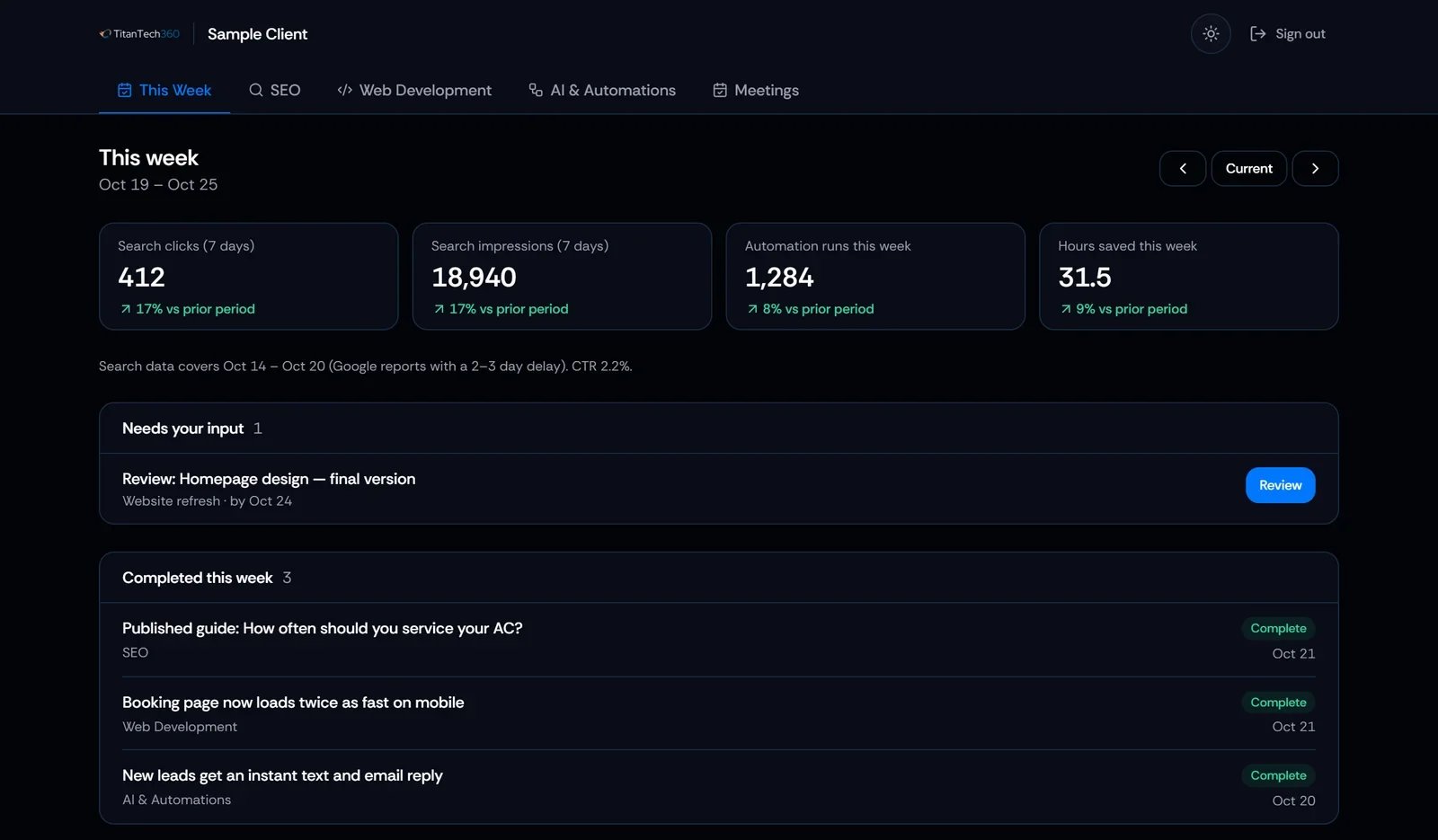
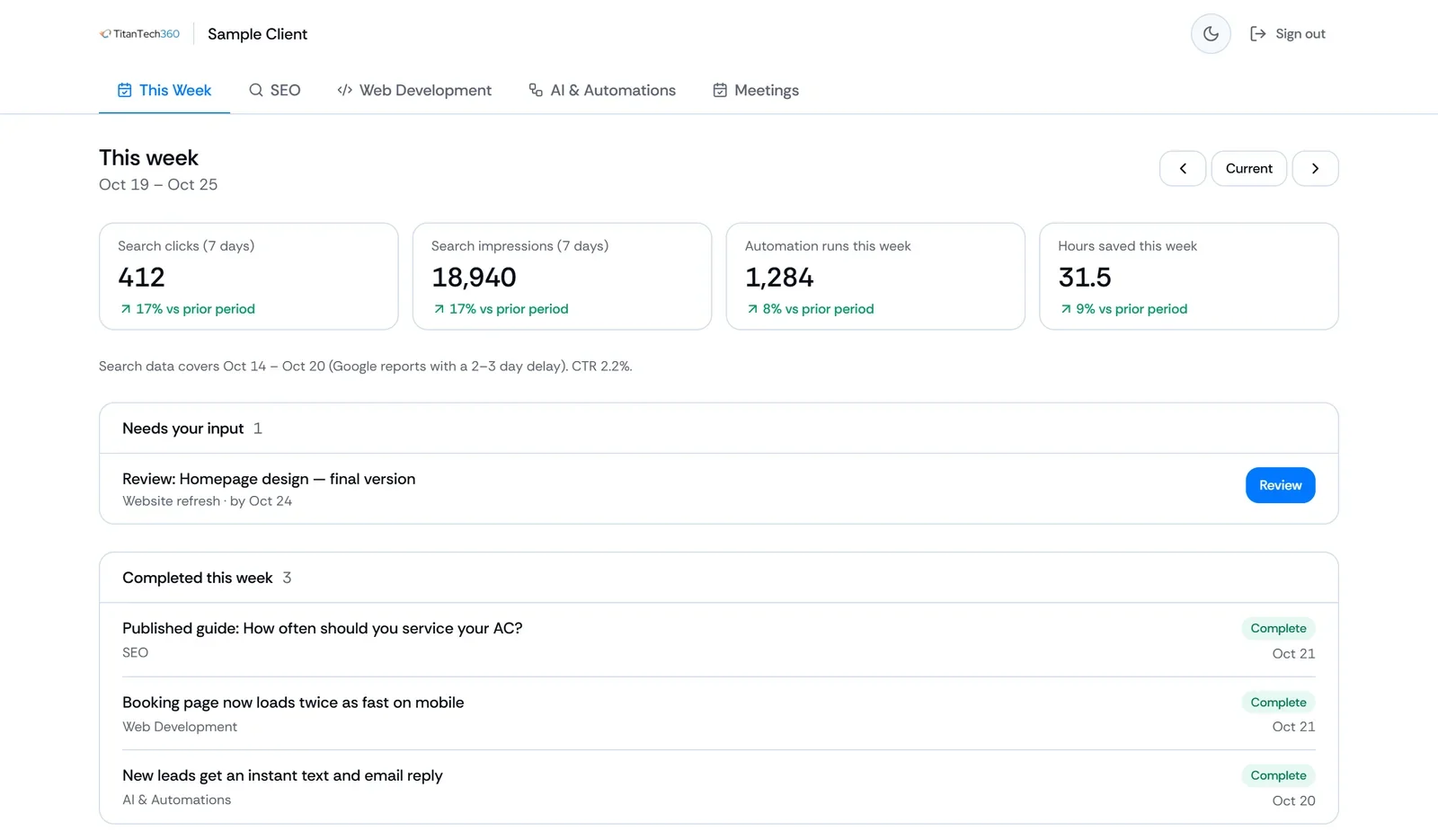
Built and managed by us. Visible to you.
Your client portal shows what your automations are doing and what we're working on, without you having to ask.
- Workflow activityAutomation runs and hours saved, updated every week.
- ProgressWhat's in progress, what needs your input, and what's coming up.
- Completed workEvery finished task, logged with its date.
Build it once, or have us run it.
One-time project
We build and deliver a defined automation, then hand it over.
Automation Starter
Best for businesses with one repetitive task to eliminate.
$495Starting Price
- Single automation workflow
- Integration with existing tools
- Testing and deployment
- 7-day post launch support
Automation Build
Best for businesses ready to connect multiple tools and streamline complex workflows.
$1,295Starting Price
- Multi-step automation workflow
- Multiple tool integrations
- Conditional logic & trigger configuration
- Testing & deployment
- Workflow documentation
- 14-day post-launch support
Managed partnership
We operate, monitor, and improve your automations every month, within an agreed scope.
Managed Automation
Best for businesses that want continuous automation development and hands off operational improvement.
$2,495Starting Price / mo
- Monthly Strategy & Priority Planning
- Monthly automation builds
- Tool integrations & maintenance
- Workflow monitoring & repairs
- Process optimization
- Monthly ROI & activity report
Starting prices. Every engagement begins with a scoped proposal, so you know exactly what's included before work starts, including the monthly build scope on managed plans.
What our clients are saying.
“We collaborated with TitanTech360 to implement automation features for our company. From the start, the genuine interest and expertise were evident. Responsive, proactive, and flexible throughout the entire process. The work on a web scrape tool and email campaign mail merger greatly improved our business processes and saved us significant time.”
“Great communication, deep expertise, and always available for questions. We needed an automated script done that a previous contractor couldn't complete — they delivered without difficulty. A+”
“Very easy to talk to, understood the task quickly, and produced a perfect, well-tested result in a timely manner — all while keeping up with status reports. Will definitely be hiring again!”
A one-time build delivers a defined workflow, tested and handed over to your team. Managed automation means we keep operating it: monitoring runs, fixing issues when tools change, and building new workflows each month within an agreed scope.