
Key Takeaways
- Small businesses can automate follow-up without losing a personal touch.
- Fast, templated replies acknowledge leads and keep them engaged.
- Routine tasks are automated; sensitive messages stay human-driven.
- Use only customer-provided context for personalized messaging.
- Modern CRMs blend automation with human review to maintain authenticity.
Introduction
Small businesses want to respond to leads quickly, but manual follow-up drains time and often falls through the cracks. Lead follow-up automation can close this gap—if you blend fast, templated replies with intelligent, human review, you keep leads warm without sounding robotic or losing personal context. A structured workflow means you capture every inquiry, give each lead a fast acknowledgment, and only escalate to humans when the conversation needs it.
By automating the initial steps and using only information the prospect provides, small businesses can respond within minutes, referencing specific services or needs without overstepping into intrusive territory. With the right setup, automation supports your staff rather than replacing their authentic conversations, sustaining both efficiency and trust.
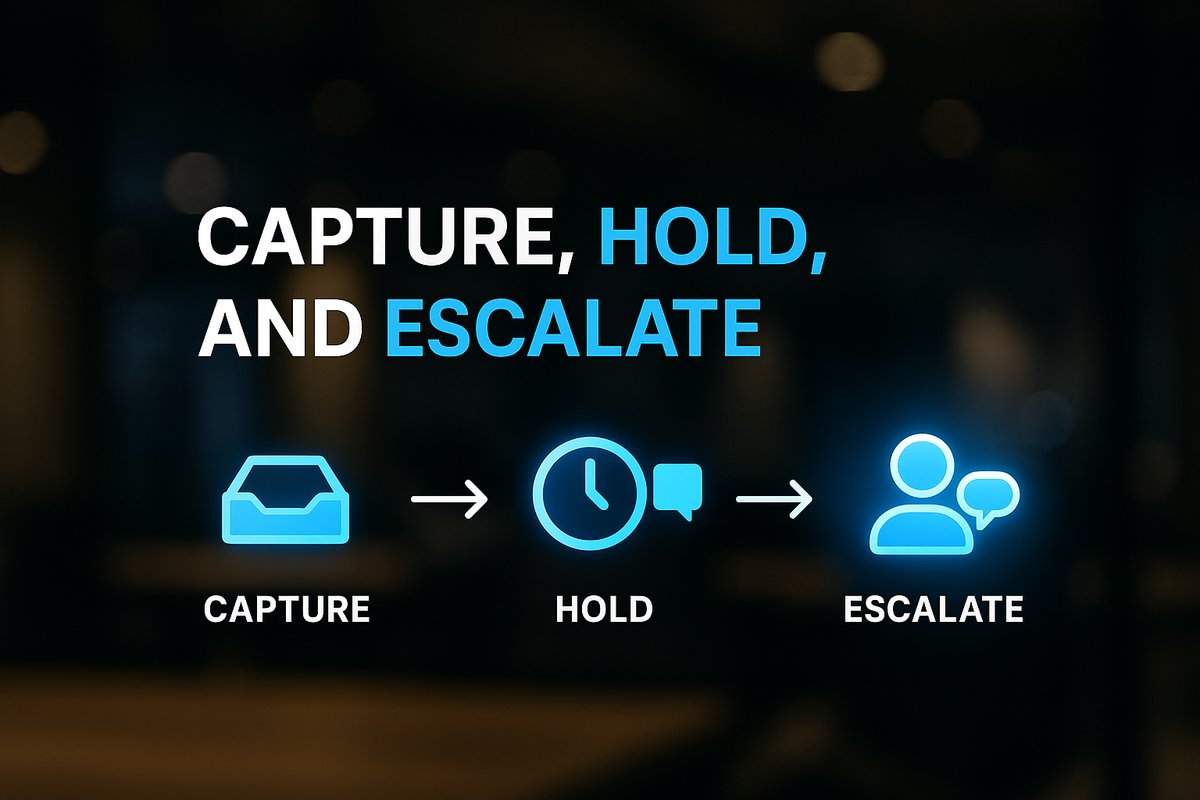
The Key Structure: Capture, Hold, Escalate
A well-designed lead follow-up automation framework starts by clearly dividing the workflow into three stages: capture, hold, and escalate. First, your system captures the lead details and context—usually name, contact info, and their stated need—directly into your CRM or tracking tool. Next, it delivers a rapid, templated response acknowledging the inquiry within five minutes, maintaining a friendly and professional tone without pretending to be a real human. Finally, the workflow monitors replies and routes “hot” leads or nuanced conversations to your team for a more personal follow-up.
This division gives you speed and consistency on routine steps, while retaining human oversight for higher-value conversations. For more on process design, see our overview on business process automation.
Want help implementing this in your business?
Book a CallBalancing Automation and Personalization
The biggest risk in automation is sounding generic. To avoid this, use only the context your prospect gives—such as their name, service requested, or business type. Referencing anything you learn from explicit inquiry forms keeps messages helpful but not intrusive. Draw the line at tracking how many times they visit your website or which pages they view at odd hours; this can break trust.
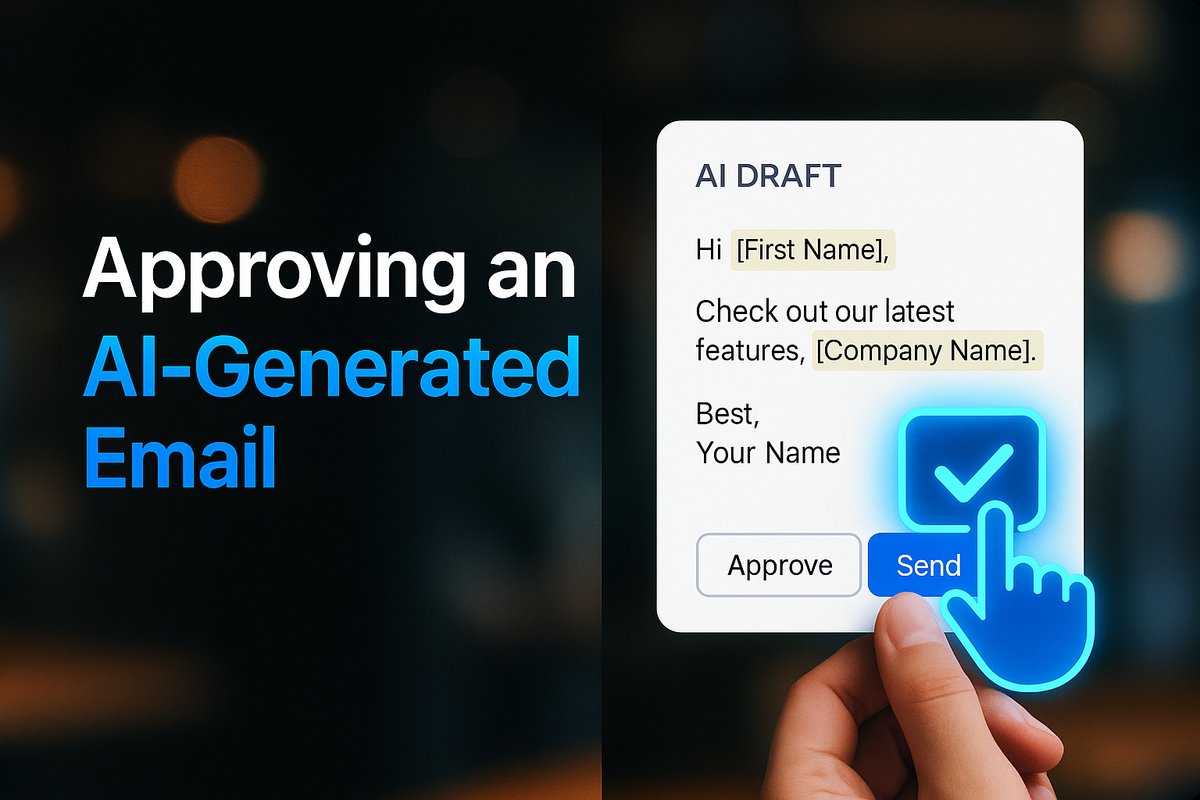
Draft your templates in advance, but let your team fine-tune them. Many platforms allow AI to fill in details (like recent interactions), with the draft queued for human review and approval. This keeps follow-ups authentic and relevant, not canned.
Routine vs. Sensitive: Defining What to Automate
Automate only the low-risk, repetitive interactions: send instant confirmations, quick post-call notes, appointment reminders, and periodic re-engagement messages. When a conversation turns complex—like objecting to a quote, flagging an issue, or when working with high-value leads—the workflow should escalate to a human every time.
A well-structured workflow gives small businesses full visibility, making sure urgent replies never slip through. Keeping automation to routine touchpoints supports scale without sacrificing trust. If you’re planning a wider project, see our step-by-step AI integration guide for deeper business process automation insights.
Choosing the Right Tools for Lead Follow-Up Automation
Not all CRM or automation platforms are equal when it comes to maintaining personal context. Modern tools—like Pipedrive, Keap, or Attio—allow you to design workflows that blend AI-powered drafting with simple human controls. Look for features such as fast message triggers, context-aware templates, human-in-the-loop approvals, and clear visibility into where automation ends and human review starts.
Such platforms help you enforce your processes, not just automate them. Your system should pause automation when a prospect replies, hand off high-intent leads to a real team member, and allow leadership to monitor for bottlenecks or missed opportunities.
Human Oversight: Where Automation Stops
Every automation setup needs built-in guardrails. Approval workflow queues let your staff review AI drafts before they’re sent when the message carries weight. Managers should see bottlenecks and exceptions at a glance. Automation should always step back—never overwrite a human’s notes or override a personal reply. This is how you keep your business feeling real and responsive, even as you scale.
For a comparison of manual and automated process impact on service consistency, explore our guide on manual vs automated business processes.
Conclusion
With a well-tuned lead follow-up automation workflow, small businesses never have to choose between speed and personalization. You get every lead captured, acknowledged within minutes, and handled with just the right blend of automation and human care. The next step is to outline your key follow-up touchpoints and identify which should be automated—then select a CRM or workflow tool that puts human context front and center.
Frequently Asked Questions
How fast should automated follow-up messages be sent?
Ideally, your system should acknowledge a new lead within five minutes. This immediate response keeps engagement high and sets clear next steps, even if your team is unavailable.
Can automation personalize messages without being intrusive?
Yes. Personalize messages only with data explicitly given by leads, such as their name, requested service, or location. Avoid referencing browsing patterns or information they did not provide directly.
What types of follow-ups should always remain human-driven?
Sensitive topics, handling objections, or conversations with high-value leads should always rely on human review and approval. Automation works best for routine, repetitive steps.
Which CRM platforms support lead follow-up automation with human oversight?
Platforms like Pipedrive, Keap, and Attio are designed to combine automated workflows with human review features. They support context-aware messaging and allow teams to manage approvals and exceptions easily.
Ready to Put This Into Practice?
Let's talk about where your business stands today and what to fix first.
Book a Call