
Key Takeaways
- GA4 now offers an 'AI Assistant' channel, but custom channel groups are needed for full ChatGPT traffic capture.
- Identify ChatGPT sessions using session source filters like 'chatgpt.com' and regex rules in GA4.
- Always compare lead and engagement metrics for ChatGPT sessions against your site average.
- Track landing pages cited by ChatGPT to measure which content attracts referrals and leads.
- Look for missing attribution—some ChatGPT traffic may show up as Direct due to lost referrer info.
Introduction
If your website is starting to see visits from ChatGPT, tracking their impact in Google Analytics 4 (GA4) is essential. To see which sessions and leads come from ChatGPT, you need to capture traffic from hostnames like 'chatgpt.com' or 'chat.openai.com' using custom filters and new GA4 channel features. GA4’s default 'AI Assistant' channel (added May 2026) now catches some AI-driven visits, but a custom setup gets you full visibility—covering all ChatGPT links, even those with missing or legacy parameters.
We'll break down exactly how to filter, group, and analyze ChatGPT traffic in GA4. You'll finish knowing how to measure both referrals and leads tied to AI search, no jargon or guesswork.
Why Track ChatGPT Traffic in GA4?
As AI search tools like ChatGPT begin to cite websites, their traffic is now a real slice of organic visits. Tracemetry (May 15, 2026) reports that ChatGPT can drive 5–15% of organic traffic for content-driven sites. If you want to understand your SEO ROI, you need attribution for these new sources.
ChatGPT referral sessions can surface in GA4 as 'chatgpt.com / referral' or 'chat.openai.com / referral', but not all visits are flagged this way. Many arrive as Direct or Unassigned unless your tracking is set up to catch them. Without filtering, you might undercount how much AI-driven traffic (and leads) your content is earning.
Want help implementing this in your business?
Book a CallHow ChatGPT Referral Traffic Appears in GA4
ChatGPT adds utm_source=chatgpt.com to most outbound links, so sessions often show this source in GA4 reports. However, Seekde (Sep 6, 2026) points out that if no utm_medium is present or the referrer is lost in the click-through, GA4 may drop these into (unassigned) or (direct)/(none).
Since May 2026, GA4 now has a built-in 'AI Assistant' channel that will automatically classify some of this traffic. Media Morpheus (Oct 6, 2026) confirms it's not perfect: only recognized sources are grouped, and the rest require custom handling.
Setting Up Custom Channel Groups for ChatGPT Traffic
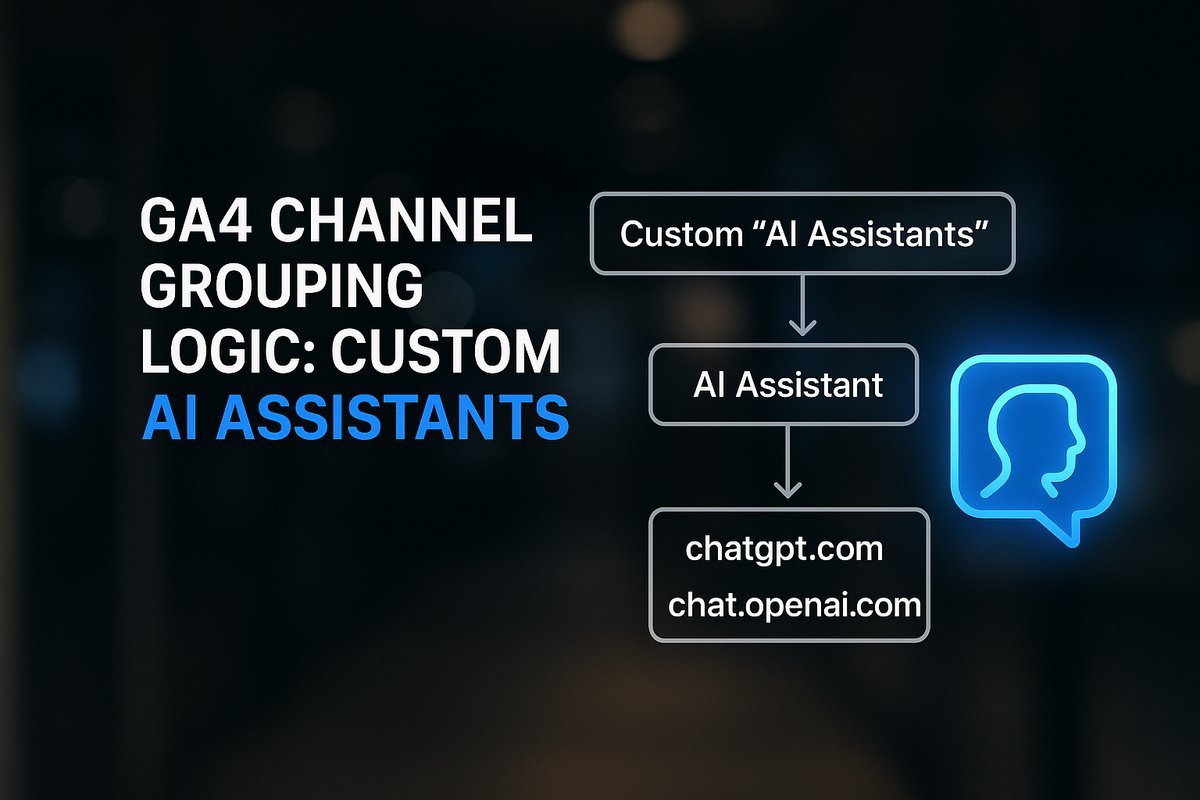
To ensure you don’t miss ChatGPT or other AI assistant sessions, create a custom channel group in GA4. Add a rule using a regex like chatgpt\.com|chat\.openai\.com to match common referral hostnames. Place your custom channel above 'Referral' and 'AI Assistant' for priority capture, as advised by DemandBox (Sep 7, 2026) and Wandered (Oct 7, 2026).
Include other AI sources like Perplexity and Gemini for broader tracking, as EchoRanked (Sep 14, 2026) recommends. This catches not only today's ChatGPT traffic but future AI referrals too.
Finding and Analyzing ChatGPT Traffic in GA4 Reports
Navigate to GA4 → Reports → Acquisition → Traffic acquisition. Switch the dimension to Session source/medium and search for 'chatgpt'. Add a filter or a Saved Exploration segment to tag these sessions for ongoing tracking, as RunOctopus (May 18, 2026) describes.
For more details, add 'Landing page' as a secondary dimension. This shows you exactly which URLs attract ChatGPT visits—insightful for understanding which of your content is getting cited and clicked.
Tracking ChatGPT-Generated Leads and Conversion Events
With ChatGPT traffic separated, review how these users engage. CitAEOtion (Oct 2, 2026) recommends comparing engagement rate and lead conversions against your site average. Are ChatGPT-sourced users more likely to fill out a form, request a demo, or hit a key event?
Media Morpheus (Oct 6, 2026) suggests using GA4’s Free-form Explorations to group these sessions by landing page, source, and conversion event for deeper insight. This helps you judge the real business impact of AI search.
Dealing With Attribution Loss and Hidden AI Traffic
A limitation you can’t avoid: if ChatGPT clicks drop referrer or UTM parameters, some sessions will show as Direct in GA4. This means your counts are always a minimum—true AI-driven traffic may be higher.
As a solution, set your custom channel groups to be as broad as you can (include known AI hostnames), and always review Direct/Unassigned traffic for likely overlap. Use these insights to refine, but accept that some visits will be misattributed.
What’s Next After Tracking ChatGPT Traffic?
Act on these analytics by optimizing the pages that ChatGPT and other AI assistants prefer to cite. Review your top landing pages for clarity and clear lead-generation paths. For more on preparing for AI search, read our guide on AI Search Optimization: How to Get Found in ChatGPT and Google AI.
If you're finding this process overwhelming, see How to Integrate AI Into Your Workflows for practical support designed for teams burned out by DIY automation projects.
Conclusion
Monitoring ChatGPT traffic in GA4 means going beyond default reports. By setting up custom channel groups and regex filters, you’ll get real insight into which sessions and leads are generated by AI search—essential for modern SEO. Remember to routinely compare the leads and conversions from ChatGPT against other sources so you know where to focus your growth efforts.
Ready to offload technical heavy lifting for analytics or automation? Book a call with TitanTech360 to explore what true innovation partnerships look like for small and midsize businesses.
Frequently Asked Questions
Why does some ChatGPT traffic appear as Direct in GA4?
If the referral or UTM source is stripped during a click or redirect, GA4 cannot attribute the session, so it falls under Direct traffic. This leads to underreporting of true AI-driven visits.
Can I track which pages ChatGPT is citing?
Yes—use GA4’s Traffic acquisition report, filter for ChatGPT as the Session source, and add Landing page as a secondary dimension. This shows URLs that receive referrals.
Does GA4’s AI Assistant channel track all ChatGPT traffic?
No. The built-in AI Assistant channel only captures AI sources GA4 recognizes. Custom channel groups with broad regex rules are needed for the most complete coverage.
How important are custom channels for small businesses?
Custom channels let you avoid undercounting referral sessions and leads from AI assistants, which can be a growing share of organic traffic for modern content sites.
What metrics matter most for ChatGPT traffic analysis?
Key engagement and conversion events (like form fills or demo requests) help you see if ChatGPT-sourced sessions drive real business results versus just visits.
Ready to Put This Into Practice?
Let's talk about where your business stands today and what to fix first.
Book a Call