

Key Takeaways
- Choose maintenance when your site works well but needs tweaks or fixes.
- Opt for redesign if structure, branding, or user experience are holding you back.
- A site audit is the most reliable way to decide between website redesign vs maintenance.
- Refreshes or partial rebuilds can bridge the gap for many businesses.
- Mistaking the need can cost you—in time, money, and SEO impact.
Introduction
If your website is causing frustration—slow load times, falling leads, or nagging technical issues—it's time to ask: does your business site need a full website redesign, or would smarter ongoing maintenance deliver better results? The answer depends on whether your site's challenges are surface-level (like broken links or outdated content) or deeper (such as poor navigation, outdated branding, or platform limitations).
As a business leader, you want to spend only what’s needed—and not more—while still getting a site that works for your goals. With the right approach, you can avoid overspending on a rebuild when a refresh would work, or missing out on growth by patching up a foundation that really isn’t fit for purpose anymore.
Website Redesign vs Maintenance: The Core Differences
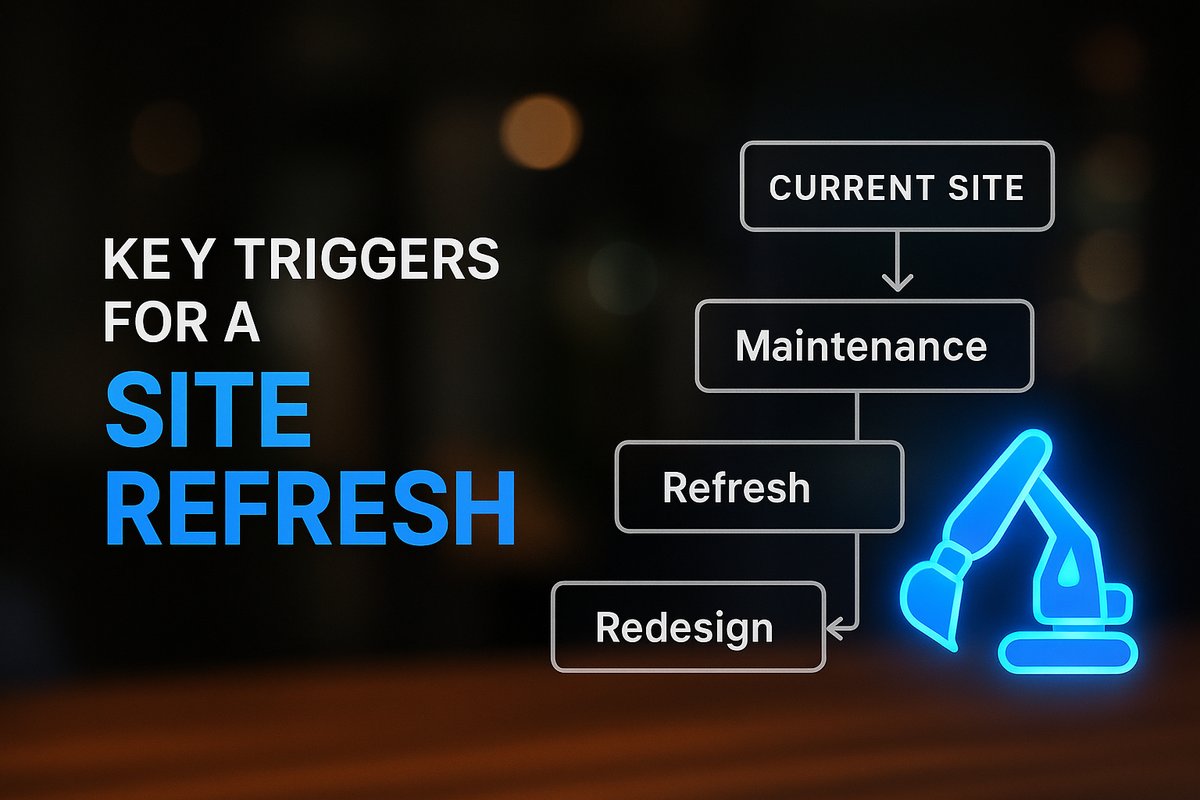
Maintenance covers ongoing technical care, like fixing bugs, updating plugins, and tweaking content. It’s meant to keep your website stable and performing smoothly. Redesign, on the other hand, is a structured overhaul—reworking site structure, navigation, messaging, visuals, and often the platform itself to meet bigger business goals.
A refresh sits between the two: visual or content updates applied to the existing site framework. Understanding these distinctions helps set realistic expectations and costs.
Want help implementing this in your business?
Book a CallWhat Makes Maintenance the Smart Choice?
Choose maintenance if your website already communicates your offering well, loads quickly, works reliably on mobile, and generates steady (even if modest) inquiries. Maintenance is best for correcting technical glitches, fixing broken forms, restoring speed, and keeping plugins, themes, or security up to date.
If you want to protect your SEO progress, or if most issues are small—like needing updated staff bios, service copy tweaks, or new testimonials—maintenance keeps things running with minimal disruption.
Sites that convert adequately and align with current business goals rarely need a rebuild. Continuous maintenance is a cost-effective way to ensure your site stays functional year-round.
When Does Your Website Need a Redesign?
A website redesign is a bigger investment—do it when there are fundamental flaws. If visitors are confused, bounce rate has climbed despite steady traffic, or your conversions have dipped, that’s a red flag. Other triggers include an outdated platform, sluggish navigation, trouble updating content, or a site that no longer matches your business’s brand, structure, or goals.
If you’ve changed services, branding, or strategy, or your website is holding you back from growth and automation, explore a redesign to re-align. The foundation of your site should support where you’re headed—not just where you were last year.
For cases like a move to a different CMS, a ground-up UX overhaul, or a pivot in company focus, redesign makes the most sense. Keeping a struggling platform on life support with endless maintenance will only drag out frustration and cost.
The Refresh and Partial Rebuild Middle Ground
If your site’s navigation is fine and core structure holds up, but branding, copy, or lead-gen could be sharper, consider a refresh or partial rebuild. Targeted updates to design, content, and calls-to-action can quickly improve results without risking SEO or incurring the cost of a full rebuild.
Partial rebuilds let you target high-impact pages—like the homepage or top service pages—while leaving the rest intact, maximizing ROI. This hybrid approach often delivers the lift many growing businesses are after.

Cost, Timeline, and Hidden Risks in Each Path
Maintenance typically costs less and can be managed monthly or quarterly. Refreshes are quick—often 1–4 weeks—while redesigns for small business sites usually run 4–8 weeks (or longer for complex platforms).
Redesigns introduce more risk: changes to structure, URLs, or navigation can cause SEO dips if not handled with proper redirects and testing. Regular maintenance protects stability, keeps rankings intact, and reduces the likelihood your team faces a crisis down the line.
If you’re weighing website redesign vs maintenance, factor in these risks—choosing wrong can lead to lost traffic, wasted spend, or missed growth opportunities. See how we approach technical audits and system design here for a structured walk-through.
How to Decide: Audit Your Website’s Real Needs
Start with an honest, business-driven audit. Review your site’s analytics: is traffic steady, are conversion rates holding, are visitors confused? Dig into your CMS, plugins, and architecture for signs of technical health or dead-ends. User feedback can also spotlight weak spots or missed expectations.
Opt for ongoing maintenance if your foundation is strong, consider a refresh for updated visuals or messaging, and invest in a redesign when structure or business direction has shifted. This strategic approach ensures your tech investments align with sustained growth, not just cosmetic change.
If you’re unsure where your site stands or want a checklist for this process, our web development team offers advisory services without overselling unnecessary work.
Conclusion
Deciding between website redesign vs maintenance comes down to your site’s real problems and business goals. If the core works, prioritize upgrades and fixes that add value now—rebuild only if structural or strategic factors demand it. The right decision protects your budget, preserves SEO, and supports actual growth.
Ready to clarify your site’s needs with a structured audit? Book a call with TitanTech360’s web specialists for tailored guidance.
Frequently Asked Questions
How do I know if my site just needs maintenance or a full redesign?
Check if your site still communicates clearly and converts visitors. If technical or cosmetic issues are minor, maintenance will suffice. But if navigation, structure, or alignment with your business has shifted, a redesign is likely needed.
Will a full website redesign hurt my SEO?
It can if not managed properly. Changes to URLs, structure, or navigation often cause ranking dips. Handling redirects, QA, and careful planning reduces that risk.
Is it worth refreshing my website instead of a total rebuild?
Yes, often a refresh—updating headlines, images, and calls-to-action—delivers nearly as much impact as a full rebuild, but faster, cheaper, and with less risk to SEO.
How much does website maintenance usually cost compared to redesign?
Maintenance is ongoing and more affordable, often covered with small monthly or quarterly budgets. Redesigns are higher one-time costs depending on the site’s size and complexity.
What is a partial rebuild?
A partial rebuild upgrades only key sections of a website—usually high-impact pages—while keeping most of the existing structure. It’s a lower-cost, lower-risk way to see meaningful improvements.
Ready to Put This Into Practice?
Let's talk about where your business stands today and what to fix first.
Book a Call